The fridge is full. Dinner is unclear.
Ask Chef what to make with the ingredients on your shelf. Tell it your dietary preferences and check the recipe before cooking.
Your ingredients. A plan for dinner.
Bring your groceries into one clear shelf. Ask Chef for a meal idea, see any extra ingredients, and keep track of what you use.
Free to download · Daily AI limits · Optional Clove Pro
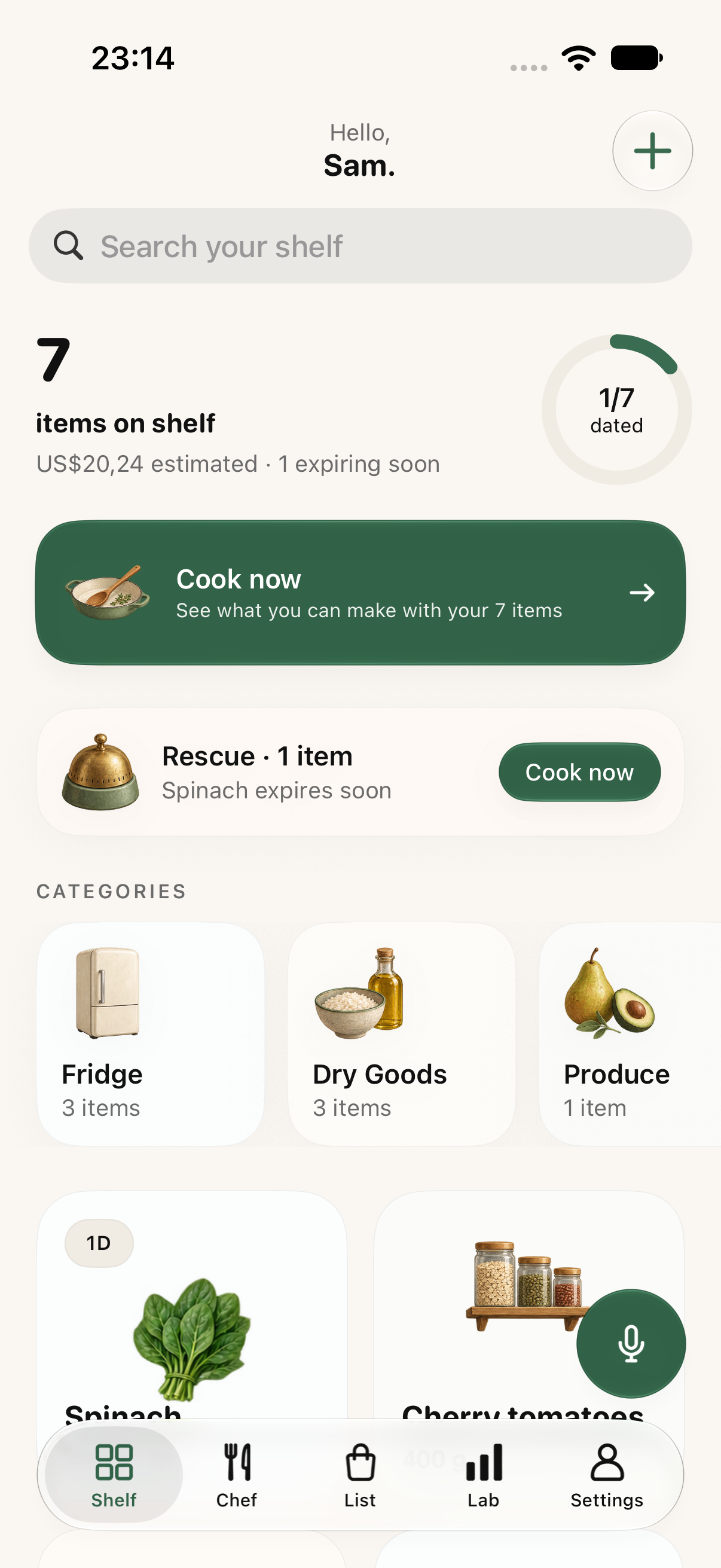
Example pantry. Your shelf starts with the items you add.
Keep your ingredients, ideas and grocery list close at hand.
Ask for meal ideas using the ingredients on your shelf and the dietary preferences you choose.
Scan a receipt or grocery photo, then edit names, quantities, dates and optional item values before adding them.
Set reminders for the expiry dates you record. Unknown dates stay unknown; reminders do not determine food safety.
Explore recipes matched to your ingredients. Check the missing ingredients, dietary information and instructions.
Add groceries yourself or ask Chef to add them. Review quantities and estimated prices, then check items off.
See the estimated value of food you mark used or wasted. These totals describe recorded food use, not verified cash savings.
Inside Clove
Example screens show how your shelf, meal ideas and shopping list fit together.
Keep the ingredients and dates you record in one place.
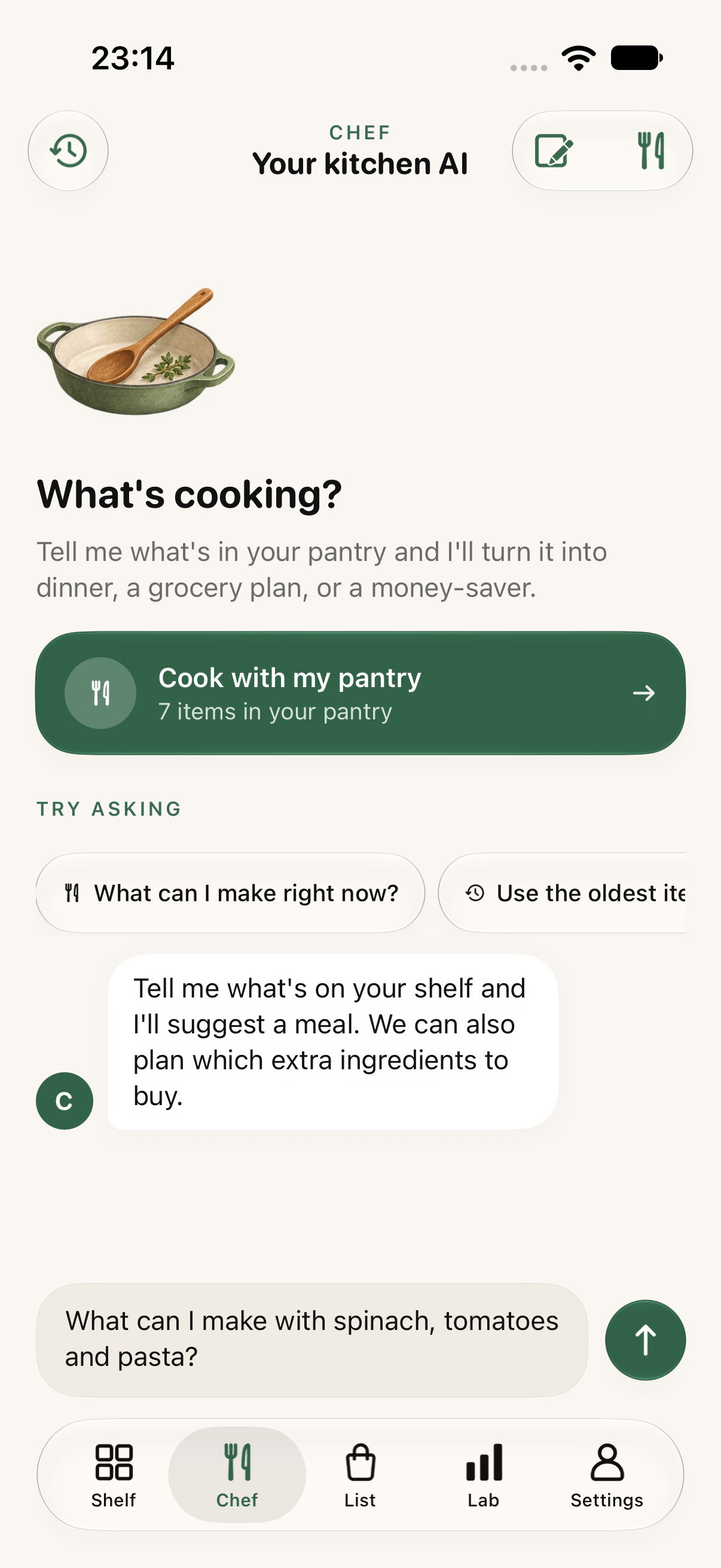
Ask for meal ideas using your shelf. Review any extra ingredients.
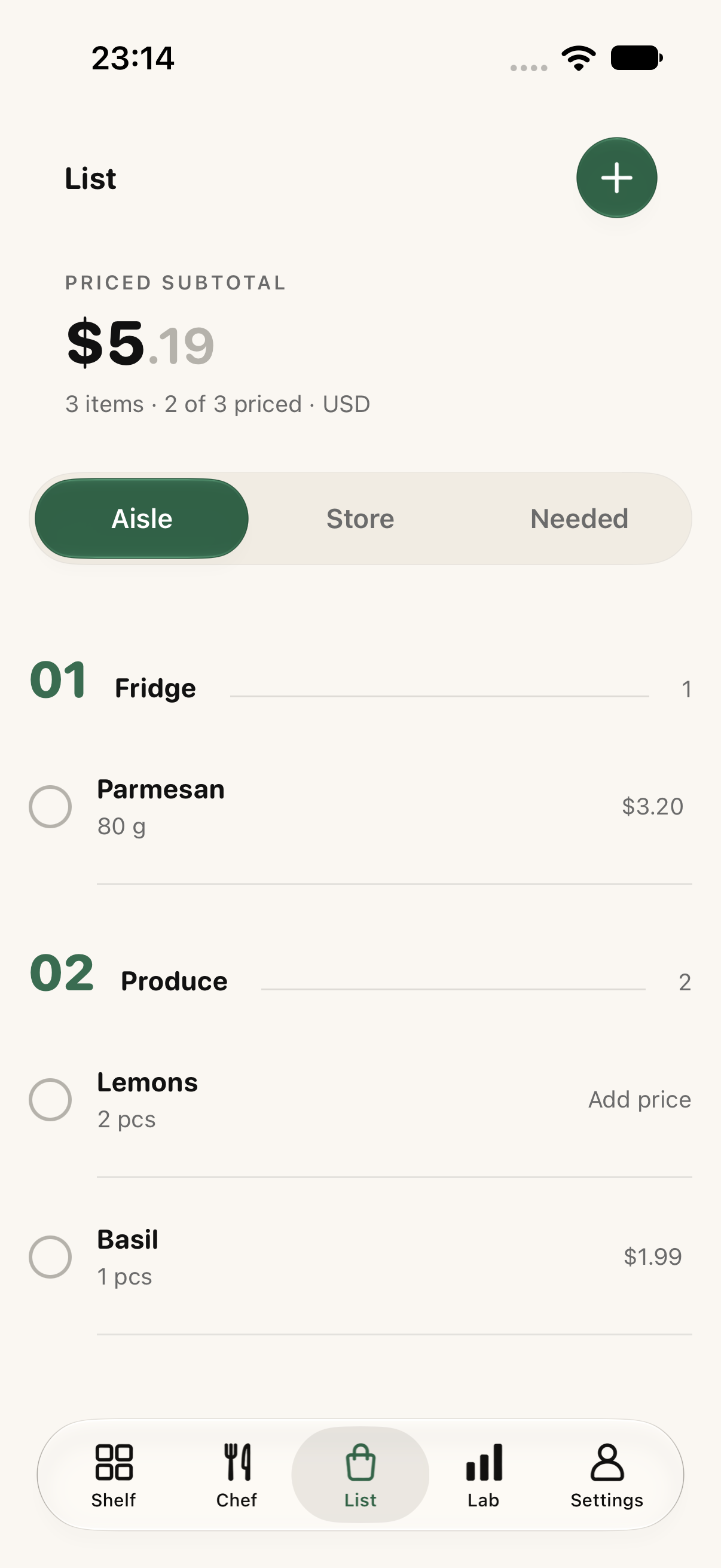
Review the next groceries you need, with quantities and optional prices.
Scan a receipt, add ingredients by voice, or enter them manually. Review the details before saving.
Record the dates from your package labels and choose your reminder settings.
Ask Chef for an idea using your shelf. Check the ingredients you have and any extras you need.
Mark how much you used or wasted. The Lab reflects the food value you record.
See the ingredients and dates you record in one place.
Start with your ingredients and review anything extra you need.
Keep the next grocery trip focused on what is missing.
Everyday kitchen decisions
Ask Chef what to make with the ingredients on your shelf. Tell it your dietary preferences and check the recipe before cooking.
Scan a receipt or grocery photo, correct the detected names and amounts, and choose what to save. Add package dates when you have them.
Check your shelf first, then build a list of the extras you need. Keep estimated prices alongside your list.
Practical ideas for planning meals, organizing ingredients, and recording what you use.
Review storage and condition before planning a meal with vegetables that have lost crispness. Discard produce when its safety is uncertain.
Short on time and ingredients? These 10 delicious 5-ingredient dinners are ready in 30 minutes or less. Simple, satisfying, zero stress.
Refrigerated egg storage, safe freezing and cooking guidance. A float test cannot establish safety.
Shocking food waste statistics for 2026. See how much food the average household wastes, what it costs, and what you can do about it today.
Stop throwing away brown avocados. Learn the best methods to store whole and cut avocados, slow ripening, and extend freshness by up to 2 weeks.
Learn how long opened orange juice lasts — fresh-squeezed, store-bought, and from concentrate. Includes storage tips, signs of spoilage, and freezing advice.
Clove AI is a kitchen companion for iPhone and iPad. Keep a shelf of the groceries you add, ask Chef for meal ideas, record package expiry dates and maintain a shopping list.
Clove is free to download. The free plan holds up to 15 shelf items. Each day, it includes 4 AI queries, 2 scans and 1 new recipe match request. Optional Clove Pro purchases are shown with the current App Store price in the app.
Choose a receipt or grocery photo. Clove suggests item names and quantities for you to review and correct before saving. Add item values yourself when needed. A receipt purchase date is not an expiry date.
No. Alerts use the expiry dates you record. Check the package label and appropriate storage guidance; an app reminder cannot determine whether food is safe to eat.
Meal suggestions start with your shelf, but some need extra ingredients. Review the recipe, missing ingredients and dietary information before cooking, especially when managing an allergy.
You can manage your local shelf and shopping list offline. Existing local reminders can still run with notification permission. New AI conversations, scans, recipe requests and cloud backup require an internet connection.
The Lab shows the estimated value of food you mark used or wasted, based on the item values you enter. This is not verified cash savings, and Clove does not promise a fixed saving amount.
The current cloud backup belongs to the guest identity on your installation. It is not an account-based recovery or cross-device sync service. Keep access to your installation; reinstalling can lose access to that guest identity.
Start with a few ingredients. Find a plan for your next meal.
Free to download · In-app purchases · iPhone & iPad